
Record a counter sale: build the ticket, say who it is for, take the money now or put it on a tab.
On this page
Open the sale screen#
Path: Shop › Sell (top right). The sale screen is called Till. Tapping a product card on the Shop page opens the product sheet, not the Till: choose Sell in the product menu to open the Till with that product already in the ticket (a product with variations is not added, because you still pick the size).
Away from the Shop page, the Till is also in the quick add menu as New sale, in Counter mode, and from a member's file, which opens it with that member already filled in.
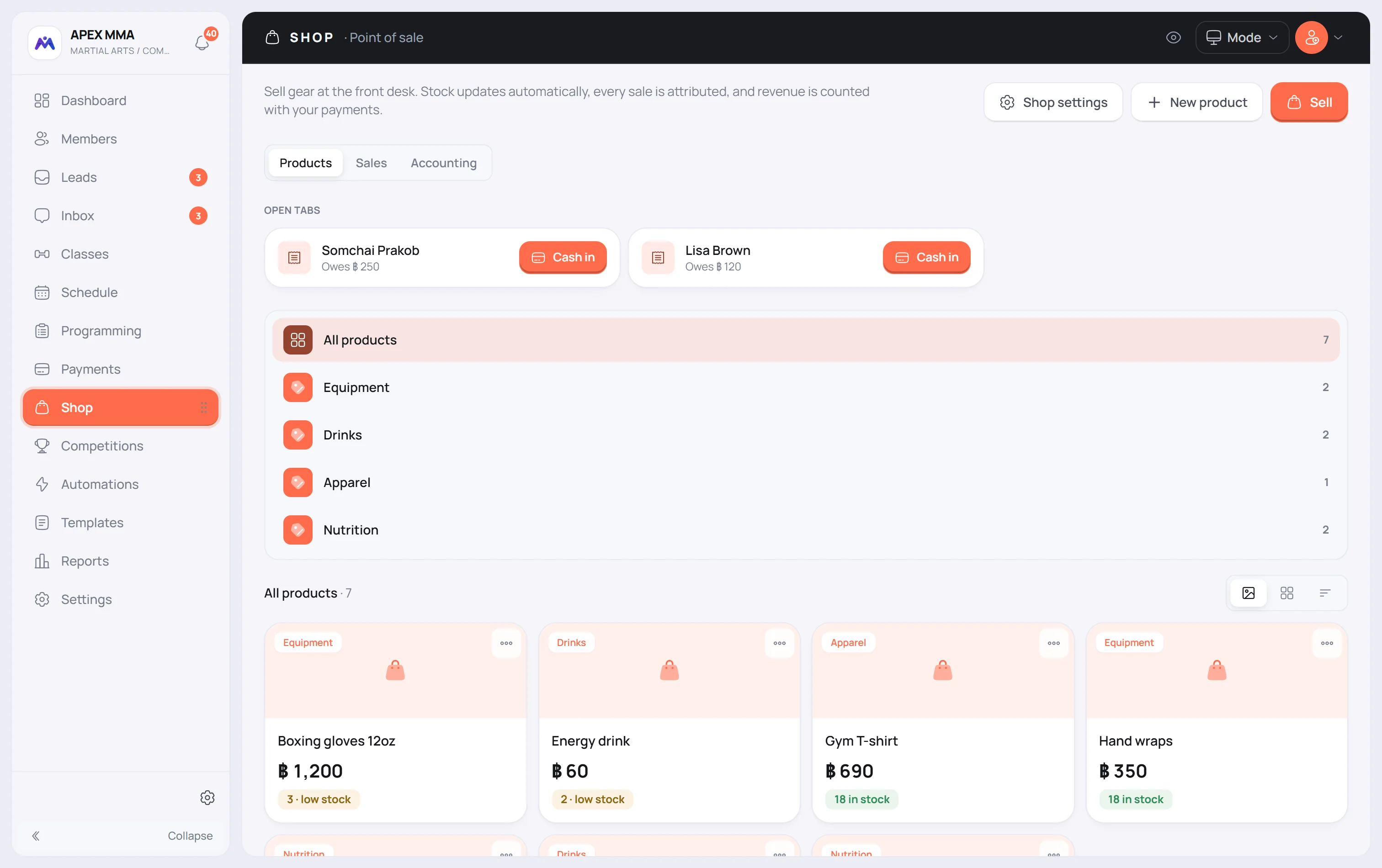
Build the ticket#
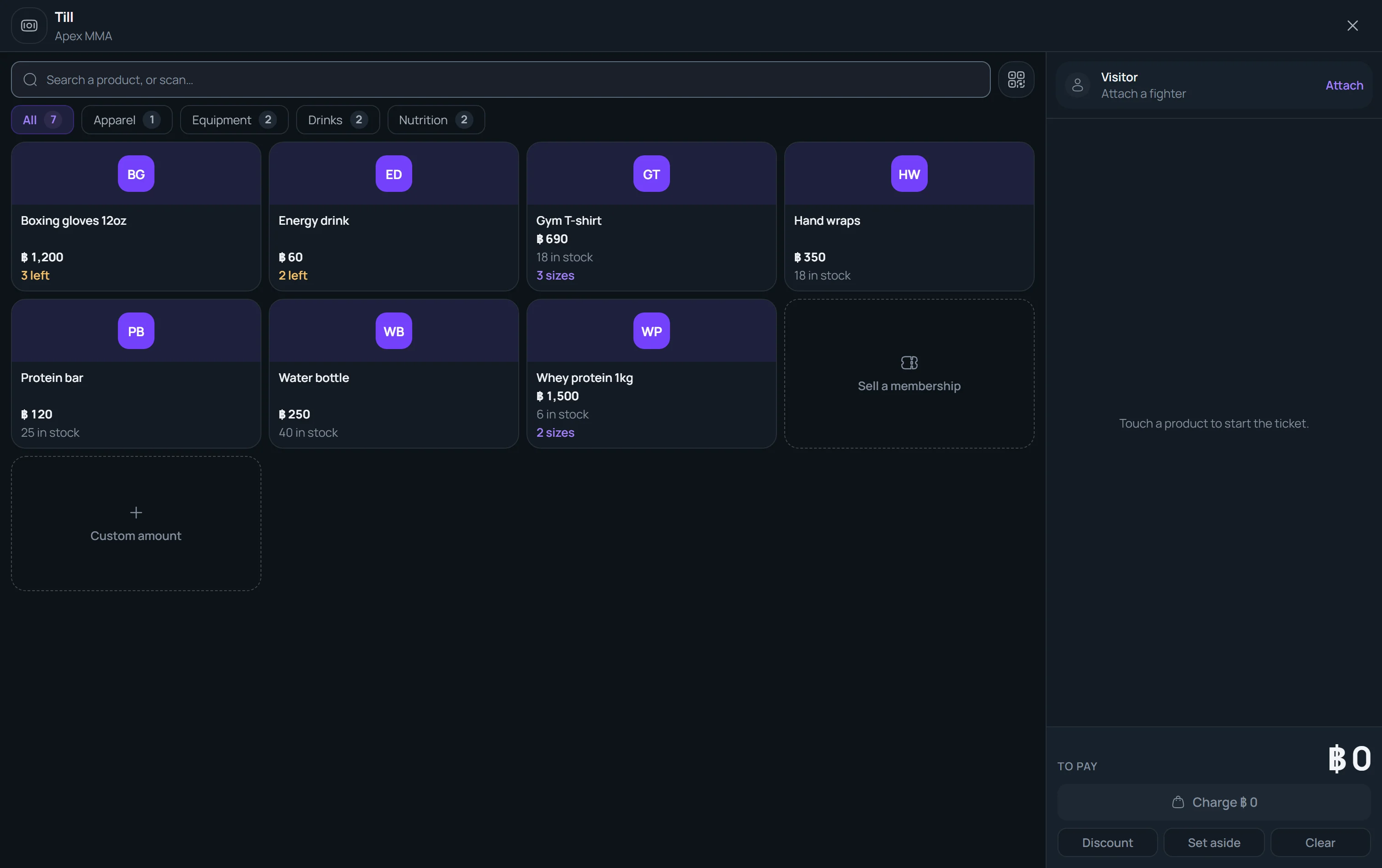
The screen has two sides: your products on the left, the ticket on the right. Search by name, category or barcode, or use the category chips above the products. On a phone the ticket sits in a bar at the bottom: tap it to open the ticket.
Tap a product to add one unit, tap again to add another. A product with variations shows how many sizes it has: tapping it replaces the products with one tile per variation, so you pick the size or colour directly, and an arrow takes you back. In the ticket, the minus and plus buttons change the quantity and the plus stops at what you have left in stock. Tap the quantity to type a number.
Two dashed tiles end the product grid. Custom amount adds a line that is not in your catalogue, with a label you choose (Repair, Locker, Drop-in or Other) and an amount you type. Sell a membership, shown only to roles that can manage memberships, adds a plan from your price list: it asks for the member first, and it reads Renew membership when that member already has a plan.
Tap a ticket line to give it a discount, or press Discount for the whole ticket. A discount is a percentage or an amount, with an optional reason, and it shows on its own line: the price of the product never changes.
Set aside parks the ticket on this device so you can serve someone else; it comes back as a chip at the top of the screen. Clear empties the ticket after a confirmation. Leaving the Till keeps the ticket too.
Say who the sale is for#
Naming the buyer is optional. At the top of the ticket, one line shows who the sale is for: Visitor, or the member you attached.
Visitor is the default. That is fine for a walk-in buying a bottle of water, and the sale still counts in your revenue. In the sales history it reads Visitor instead of a name. To attribute it to a member, tap that line and search by name, phone or email. Sell to a visitor takes the member off again.
Pay now, or put it on a tab
Press Charge, which carries the total. The payment screen shows one tile per payment method, starting on the Default payment method you set in Settings › Finance › Recording payments, or on the method used most in the last 30 days if you set none. You can change it for this sale only. The methods offered are the ones your gym has switched on in Settings › Finance. For cash, type the amount received or tap Exact or a suggested amount, and the change due is shown. Press Collect to finish.
To split a payment, type a cash amount lower than the total and press Add in cash, then pay what is left with another method. The Left to pay line follows.
The On the tab tile records the sale as unpaid and parks it on the member's tab, to be settled later.
Pay part of it with a gift card
Choose the Gift card tile on the payment screen and type the code. The screen shows the balance of the card and how much of it will be applied. If the code is unknown, inactive, empty or expired, it says Unknown or empty card.
The card covers up to what is left to pay, and anything left over stays on the card for next time. If it does not cover the whole ticket, press Use the amount from the card, then pay the rest with another method.
After the sale
When the payment goes through, the Till shows Paid with the total and, for cash, the change due.
Print the ticket opens a page for a 58 mm or 80 mm paper roll. The roll you choose is remembered on this device, and your browser may need to allow pop-ups for the page to open.
Send the receipt appears when the buyer is a member with an email address or a linked LINE account, and it goes by email or by LINE accordingly. Without a member there is nobody to send it to, and the screen says so.
A sale put on a tab is not paid yet, so no receipt is offered: you can send it once the tab is paid.
Sell again empties the screen for the next customer.
What the software writes down
Recording the sale does four things at once. It takes the units off your stock, for the product or for the exact variation you sold. Products marked as unlimited are not counted down, only their sold counter goes up.
It creates one payment for the whole ticket, with a receipt number, the date, the method and a note listing the items. It stores the cost of what you sold alongside that payment, which is what later feeds the margin in Reports › Money › Shop.
The payment is a normal payment. It shows in Payments and in your revenue, next to memberships.