
How does programming work, and why cannot my members see the workout?
Tracks, one workout a day, and the difference between written and published.
Programming › pick the track chip › move to the week › tap the day
ขั้นตอน
- 1Open Programming.
- 2Pick the track chip.
- 3Move to the right week with the arrows.
- 4Tap the day.
- 5Write the blocks.
- 6Set the visibility and save.
หัวข้อในหน้านี้6
รู้ไว้จะดี
Attach a class to a track#
Two ways in. From the class form, the Programming track field near the bottom. Or from the track panel, which lists your classes with a switch for each.
Attaching is a one-off setting. After that, the class shows whatever is written for that track, day after day.
Copy to another day#
A strength cycle repeats. Copy to another day, from the menu on a day cell, takes the workout to another date and, if you want, to another track.
If the target day already has a workout, the first attempt is refused and the software names what is there. Replacing is a second, deliberate step, and what was there goes to the Trash.
Where the workout shows up#
On the staff side, open a session from the Schedule and go to the Program tab. The workout for that class on that date is shown there, read only.
On the member side, a published workout appears for every class on that track that day.
Archive or delete a track
Archive puts a track aside without losing it. Its workouts stay written and readable, the chip moves to the end of the row, and you can bring it back.
Delete sends the track and all of its workouts to the Trash, where they can still be restored.
เมื่อมีปัญหา
A track is a thread, not a class
A track is one continuous thread of programming: CrossFit, Hyrox, Weightlifting, Fundamentals. You attach each class to a track once, and from then on you write for the track, never for the class.
That is the whole point. Five classes of the same style on the same day share one track, so you write the session once and all five show it. If you had to write per class you would be copying the same workout five times, and the fifth would eventually drift from the first.
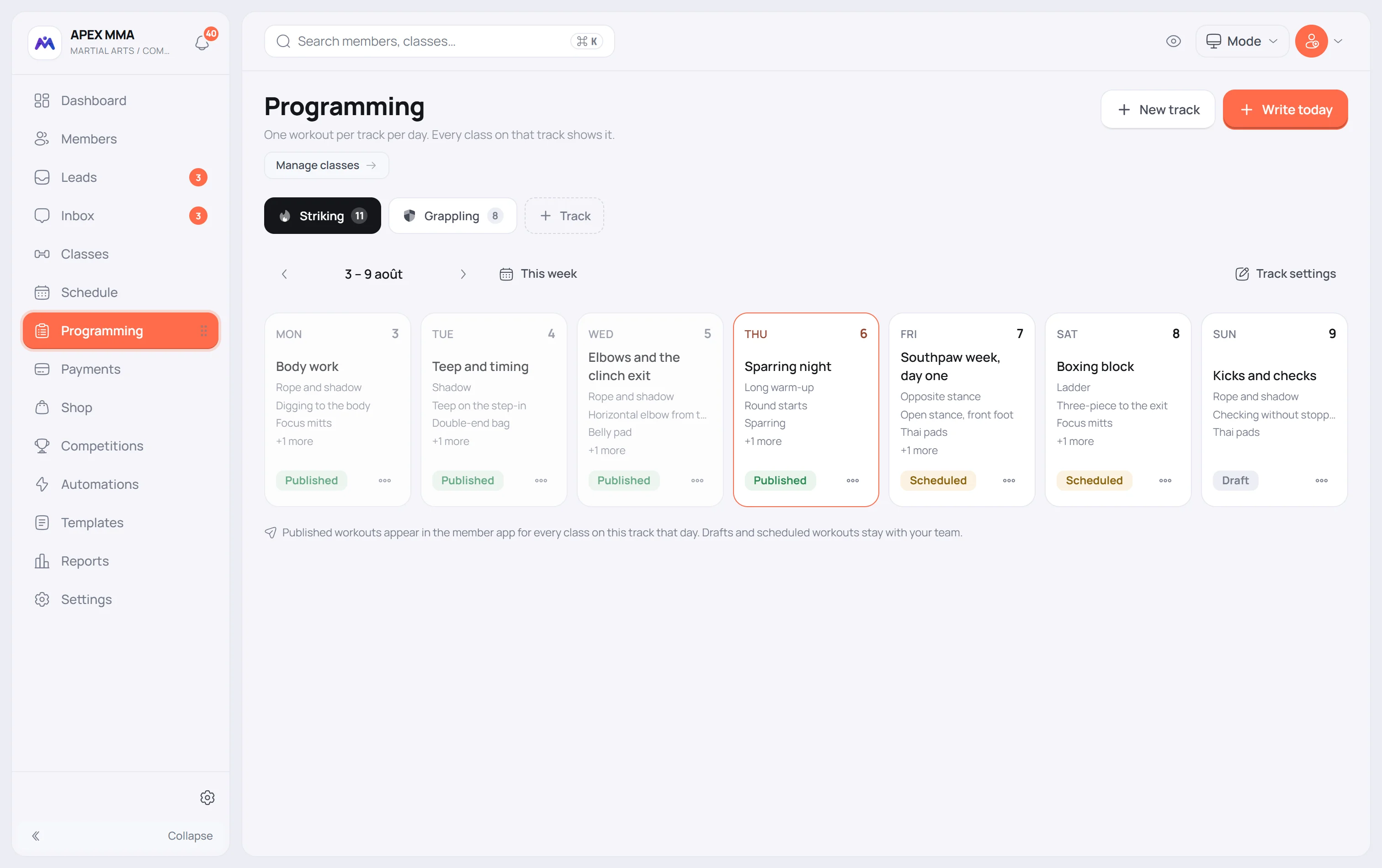
Written is not published
A workout you write is a draft. Drafts are yours: they sit in the calendar, you can edit them for as long as you like, and no member sees them.
Publishing is the separate act that makes it visible. Scheduled sits in between: it publishes itself at a chosen time. That is how you write a whole week on Sunday and let each day open on its own morning, instead of handing your members the week ahead.
The status pill on each day cell tells you which is which without opening anything.