
What is on a member profile, and how do I change their status?
The sections of a profile, who decides the status, how a promotion is recorded, and the difference between archiving and deleting.
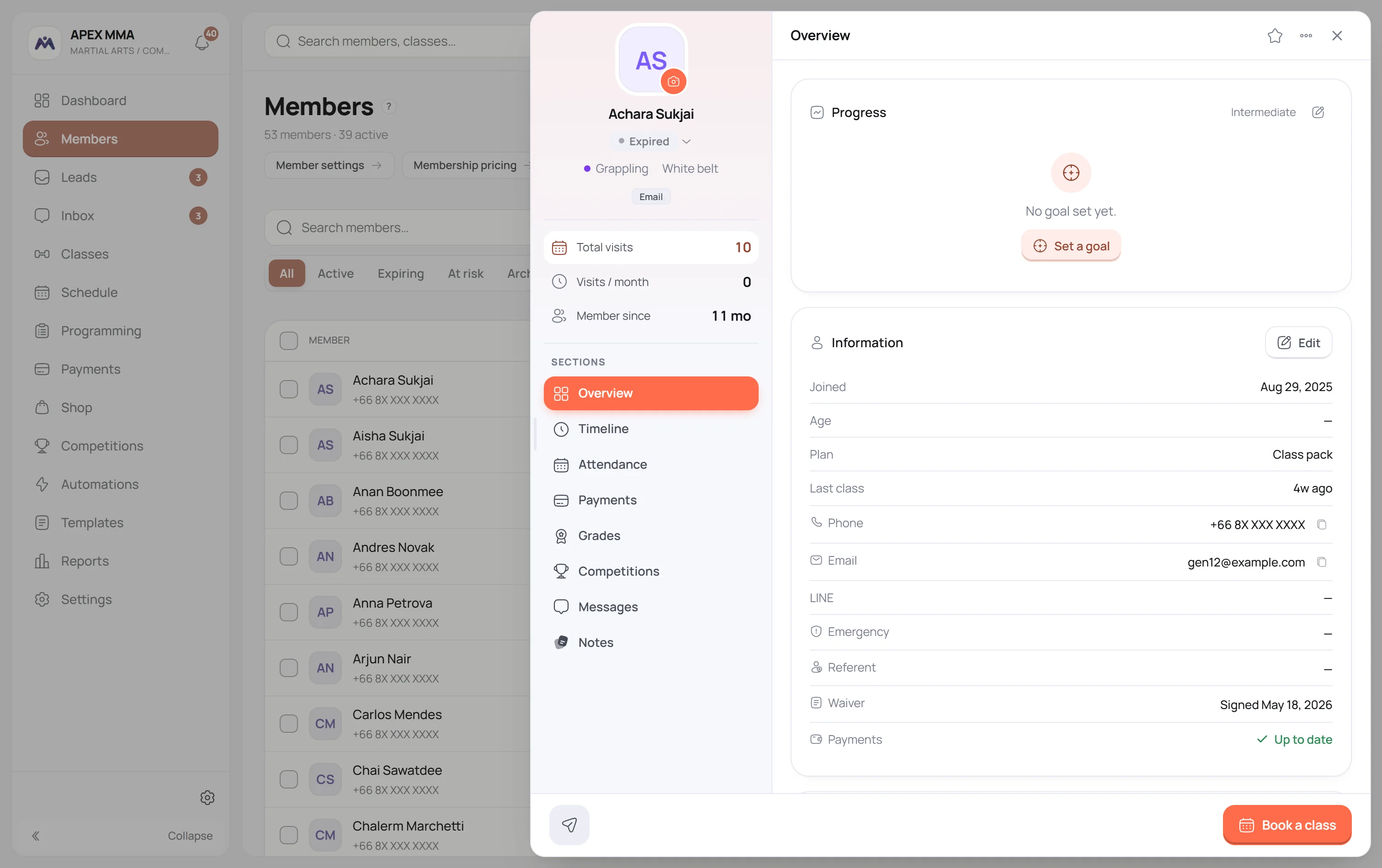
Members › tap a row
ขั้นตอน
- 1Open the profile.
- 2Click the status pill under the name.
- 3Pick a status, or pick Automatic to hand it back to the calculation.
หัวข้อในหน้านี้6
รู้ไว้จะดี
The sections of a profile#
Path: Members › tap a row.
A profile holds up to eight sections: Overview, Timeline, Attendance, Payments, Grades, Competitions, Messages, Notes.
Some are missing on purpose. Payments does not appear for a role without the right to see amounts. Grades and Competitions follow what your gym has switched on. Messages follows your plan.
Timeline is the one worth knowing about. It rebuilds the whole history of the member on one page, day by day: payments, refunds, memberships, bookings, attendance, no-shows, promotions and staff notes.
Recording a promotion#
Path: Members › a member › Grades › Promote, on the discipline card.
The Grades section shows one card per discipline the member practises. Only disciplines graded with belts or colours offer a Promote button. A discipline graded by level shows the current level read only, and that level is changed from the member form.
The promotion form suggests the next grade in the ladder and takes an optional note, for instance the result of the grading.
- 1Open the profile, then Grades.
- 2On the right discipline card, tap Promote.
- 3Check the grade suggested, adjust it if needed.
- 4Add a note, then Record promotion.
Badges#
Path: Settings › Members › Grades and badges.
A badge can be automatic, computed from the classes attended, the weekly streak or the months since joining. Or it can be manual, and then you award it yourself with Award badge on the profile.
The badge card hides itself completely when there is nothing earned and no manual badge to hand out. An empty card would only be noise.
เมื่อมีปัญหา
What a coach does not see
A coach sees no Payments section and no balance, and private contact details are hidden from them: phone, email, emergency contact and guardian. The same goes for any role you did not grant View payments & revenue.
Recording a payment and seeing the amounts are two separate permissions, so you can let someone take money at the desk without showing them the revenue.
The eligibility bars are an indicator, not a rule
On the main discipline, two bars show time in the current grade against six months, and classes attended against forty.
Those two numbers are fixed. They are not a setting, and changing your disciplines does not change them. The classes counter adds up every class the member attended, all disciplines together, not only the one on the card.
Nothing is blocked. You can promote a member whose bars are both empty.
Archiving is not deleting
Archiving keeps everything: the history, the payments, the memberships, the files. It only takes the member out of the lists, and it is undone in one click from the Archived tab. It also frees a slot against the member cap of your plan.
Deleting is the other thing. The record leaves the software and takes its payments, its memberships, its bookings and its grade history with it. Only the owner and the admins see that option.
- 1Open the profile.
- 2Open the menu with three dots at the top right.
- 3Pick Archive, or Delete member.