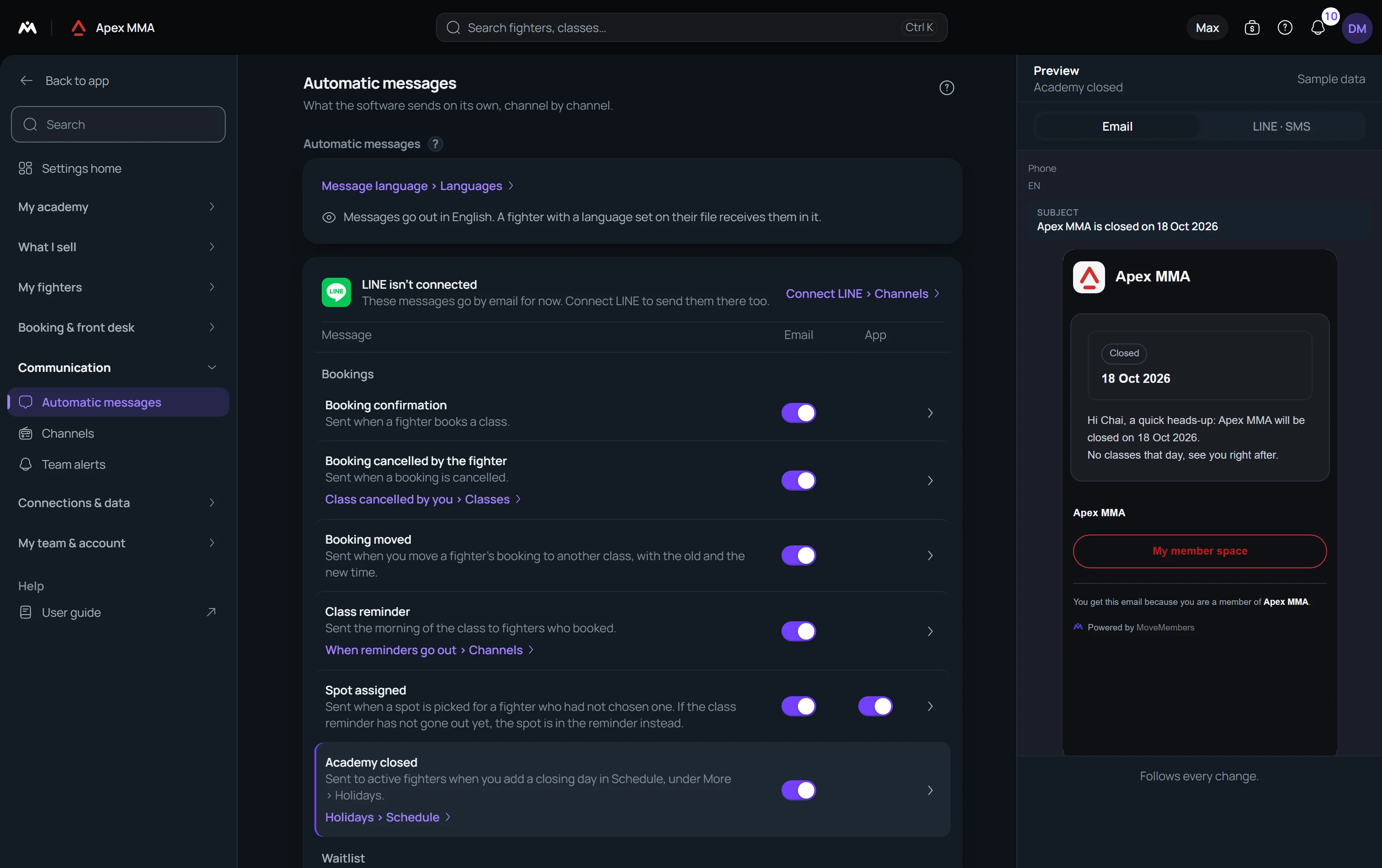
A fixed list of transactional messages, such as booking confirmations and receipts, where you only choose the channels.
On this page
What is on by default#
Fifteen of the seventeen rows start with Email and LINE ticked, receipt, class reminder and membership expiring soon included. Buddy pass and Spot assigned also start with App ticked. Two start fully off: New personal record and Badge earned, so that your members only start receiving them once you have chosen to.
LINE being ticked does not mean anything goes out. Every LINE send checks that your gym has entered its own LINE channel in Settings › Integrations. Until then the LINE column is hidden, and in countries where LINE is used a line at the top of the card offers to connect it.
Membership expiring soon, and the automation that takes over#
This one is a renewal reminder about a week before a membership ends, and it costs nothing: it is available on the free plan, where no automation is.
If you also run a Pro automation on Membership expires soon, this row stays quiet on its own. The automation takes over and the member gets one reminder, not two. You do not have to switch anything off.
Who can change a switch#
Owner and Admin only. Another role that reaches these switches gets a refusal saying it needs Owner or Admin access, and that message is exactly right.
The rule is anchored to the role on the server, not to the permission grid. It works the same way for every Settings page and for automations.
What triggers each message
Booking confirmation, cancellation, waitlist confirmed and spot available are sent when the booking changes, whether the change was made at the front desk or by the member.
Booking moved is sent when you move a member's booking to another class, with the old and the new time. Buddy pass is sent after a sale of a plan that comes with a buddy pass, with the code to give to a friend. New personal record is sent when a member logs a result that beats their previous best. Badge earned is sent once, when a member unlocks a badge.
Class reminder does NOT have a fixed time. Two settings decide it, in Settings › Channels, under When reminders go out: how far ahead it goes out, among same day, 1, 2, 3 or 7 days before, and at which hour, in your own time zone. A gym set to three days ahead will never get a morning-of reminder. The day always applies; the hour only shows when your installation sends on an hourly schedule.
Payment receipt is sent when a payment is recorded as paid. Payment reminder is sent when you tap Remind, on a member or in the Reminders block of the Payments page. Membership activated, paused and ended follow the membership itself. Membership expiring soon goes out about a week before the end date.
When Remind refuses
Remind uses the Payment reminder row. If online payments are connected, the message invites the member to pay from their space. If not, it shows the balance and asks them to settle at the front desk.
If both channels are off for that row, or if the member has neither an email address nor a linked LINE, nothing is sent and the action reports the reason.
Troubleshooting
Not the same thing as Automations
Path: Settings › Automatic messages.
A fixed list of seventeen, in four groups. Bookings: booking confirmation, booking cancellation, booking moved, class reminder, gym closed, spot assigned. Waitlist: waitlist confirmed, spot available. Memberships and payments: membership activated, membership expiring soon, membership paused, membership ended, payment receipt, payment reminder, buddy pass. Records and badges: new personal record, badge earned.
You cannot create one, delete one, or rewrite its text. You switch each channel on or off, row by row. Tap a row to open its preview: the exact email, and the short version used on LINE.