
One setting decides how early a class accepts attendance, and it does not behave the same on the screens that use it.
On this page
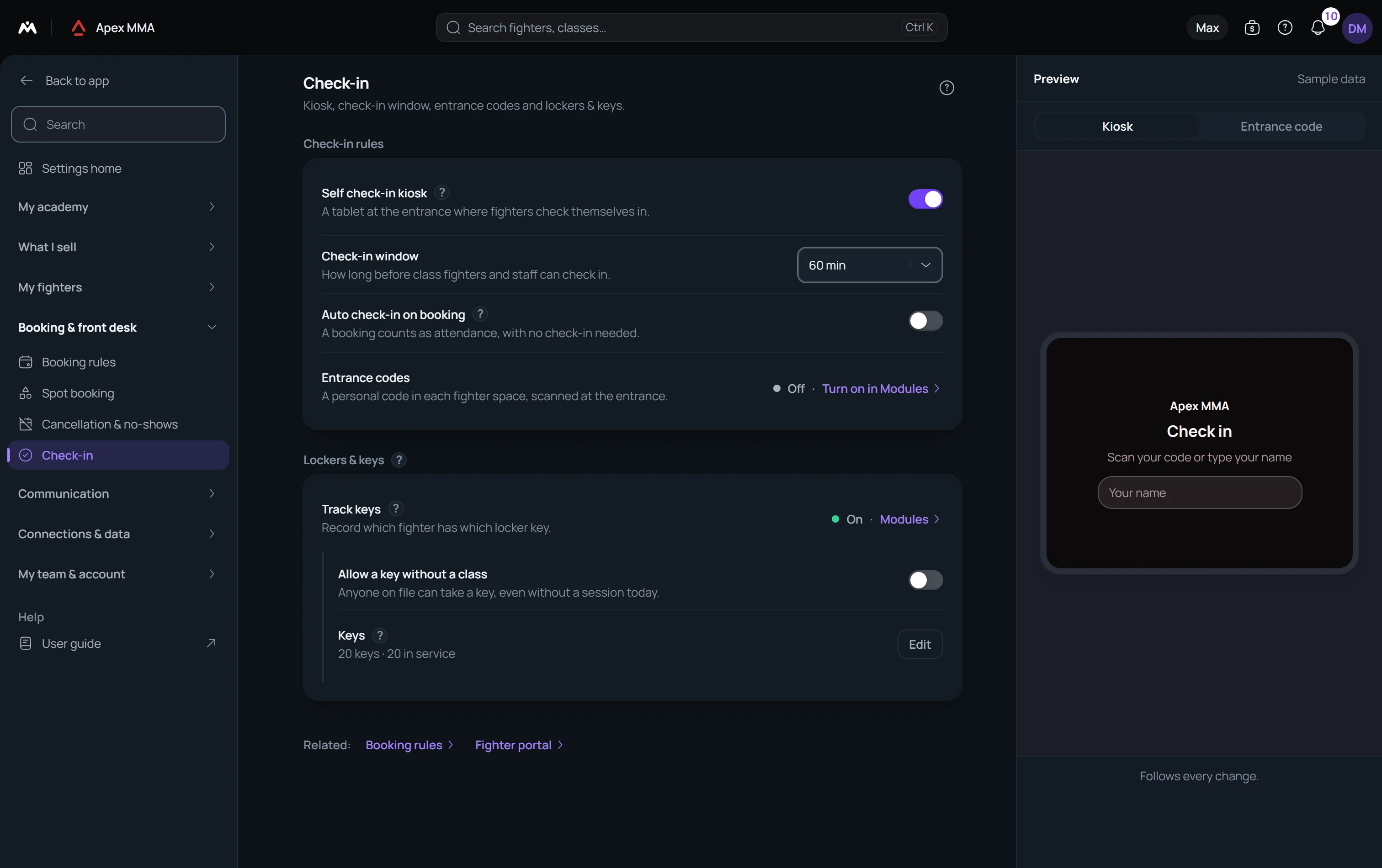
Set the window#
Path: Settings › Check-in › Check-in window.
The window says how long before the start of a class attendance can be recorded. You choose between 15, 30, 60, 120 and 240 minutes. A new gym starts at 60.
Set it to your real habits. A gym where people arrive to wrap their hands half an hour early needs 30 or 60. A window of 240 minutes on a timetable with four classes a day means the software stops being able to tell you which class someone belongs to.
On the member's phone, the window closes#
In their own space, a member sees a Ready to check in card, with a Check in button, only if three things are true at once: the class is today, they have a booking for it that is neither checked in yet nor waiting for a payment, and the current time is within the window.
There the window works both ways: it opens the given number of minutes before the start and closes the same number of minutes after it. Someone who walks in an hour and a half after a class started, with a window of 60 minutes, will not find the button.
The entrance tablet ignores the window#
The kiosk at the door does not test the time. Any name in the list of a class of today can be tapped at any hour.
So the window is a guardrail on the supervised paths: it warns at the desk, it is enforced on the member phone, and it decides which classes Entrance check offers. It is not a lock on the door tablet.
Auto check-in on booking
The switch just under the window says that a booking counts as attendance, with no second step.
The booking is marked present when its check-in window opens, not at the moment it is made, so a class next week stays booked until then. It covers every booking that is still booked at that point, including those your staff entered, and leaves alone a booking that is waiting for a payment.
Troubleshooting
At the desk, the window warns, it does not refuse
The window is a rule that protects you from the MEMBER, not from your own staff. In the Counter check-in panel your team can mark anyone present at any hour of the day, before the window as well as long after it. Someone who turns up an hour early, hands wrapped, gets checked in.
Being early is said rather than blocked: a line at the top of the panel reads that the class starts later today. The gesture stays deliberate, it is no longer impossible.
For a class on a FUTURE date, only Reserve is available, because marking someone present in advance would be inventing an attendance. For a class on a PAST date, check-in is allowed, which is how you fix a register after the fact.
In the session panel on the Desk, a session on another day offers no Check in button either: check-in opens on the day of the session.